
TSF NEXT SANTA CHRISTMAS THEME
by SGluck
Version 100+
📅 Updated Eligible if bought after 7/2/2016.
Learn
Supported by Smart Nova Go Apex Adw Holo Atom Launchers
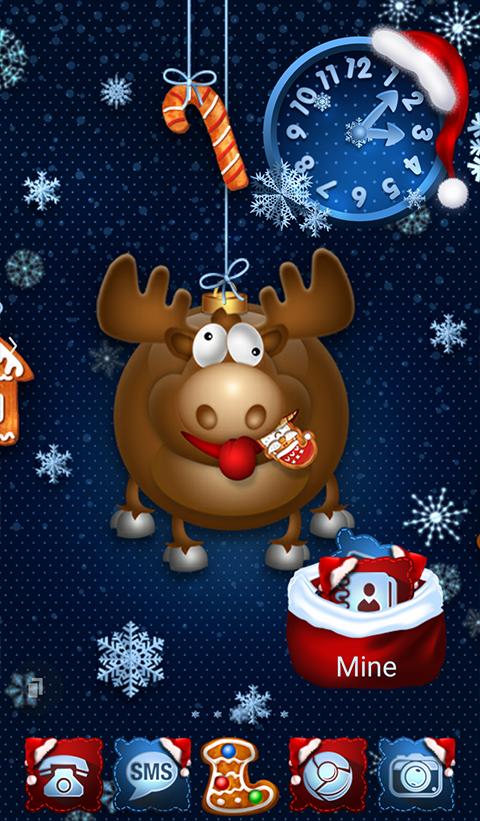
Features TSF NEXT SANTA CHRISTMAS THEME
** IF YOU HAVE ANY PROBLEMS PLEASE CONTACT US BEFORE LEAVING NEGATIVE FEEDBACK **This Multi Launcher Theme contains a wallpaper set, an icon pack, and a matching analog alarm clock.This is not an Application or a Launcher by itself, but it is compatible with the majority of Launchers available on Google Play.You MUST have installed one of this Launchers to use this theme:TSF LauncherNext LauncherNova LauncherADW LauncherSmart LauncherApex LauncherAtom LauncherHolo LauncherGo launcher Z*************** (:|:) ***************TO APPLY THE THEME:TSF Launcher:Smart Button > Themes > Santa Christmas ThemeClock:Smart Button > Add > Widgets > System widgets > Santa Christmas clockWallpapers:Smart Button > Wallpaper > Gallery Apps > Santa Christmas *************** (:|:) ***************Next Launcher:Long press desktop > Theme > Santa Christmas Clock:Long press desktop > Widget > System widget > Santa Christmas clockWallpapers:Long press desktop > Wallpaper > Santa Christmas *************** (:|:) ***************ADW Launcher: Press desktop > ADW Settings > Themes > Santa Christmas Theme > ApplyClock:Press desktop > Add > Widgets > Santa Christmas Theme > Santa Christmas clockWallpapers:Press desktop > Wallpaper > Santa Christmas *************** (:|:) ***************Nova Launcher: Nova Settings > Look and feel > Icon Theme > Santa Christmas ThemeClock:Press desktop > Widgets > Santa Christmas clockWallpapers:Press desktop > Wallpapers > Apps and Themes > Santa Christmas Dock:Nova Settings > Dock Background > Content > Image > Select theme > Santa Christmas *************** (:|:) ***************Smart Launcher:Menu > Preferences > Theme > Santa Christmas Wallpapers:Menu > Wallpaper > From Apps > Santa Christmas Clock:Press clock > Replace widget > Santa Christmas Theme*************** (:|:) ***************Apex Launcher: Apex settings > Theme settings > Santa Christmas > ApplyClock:Press desktop > Widgets > Santa Christmas clockWallpapers:Press desktop > Wallpapers > Santa Christmas *************** (:|:) ***************Go Launcher Z: Press desktop > Theme > Right Top Corner Installed > Santa Christmas > ApplyClock:Press desktop > Edit > Widget > System widget > Santa Christmas clockWallpapers:Press desktop > Edit > Local > More > Santa Christmas *************** (:|:) ***************Holo Launcher: Appearance Settings > Icon pack > Santa Christmas ThemeWallpapers:Press desktop > Wallpapers > Santa Christmas Clock:Press desktop > Widgets > Santa Christmas clock*************** (:|:) ***************Atom Launcher: Launcher settings > Theme Settings > Santa Christmas > ApplyWallpapers:Press desktop > Wallpapers > Santa Christmas Clock:Press desktop > Widgets > Santa Christmas clock*************** (:|:) ***************
Gaming Features
Enjoy immersive gaming experience with various game modes.
News & Updates
Stay informed with the latest news and updates.
Smart Home
Control and monitor your home with smart features.
See the TSF NEXT SANTA CHRISTMAS THEME in Action


What Our Users Say
Don't just take our word for it. Here's what our users have to say about our Android app.
"Awesome icons, I wish they had more, though. Much more."
Nathan Woodford
"Use this theme every Christmas season and get compliments on it!"
Mark Jackson
Get the App Today
Available for Android 8.0 and above